Baza znanja

How to send an encrypted email

Email encryption is the encryption of email messages to protect the content from being read by other entities than the intended recipients. Email encryption may also include authentication.

In this article, we will go over how to set up an encryption key so you can send encrypted emails. After you've set up the encypted email, simply give the key to those that will be recieving email from you. When you send email, your recipients will then be able to verify the emails are actually coming from you.

To begin, login to cPanel. In the search tool, start typing "encryption". Click on the encryption icon when it pops up. 
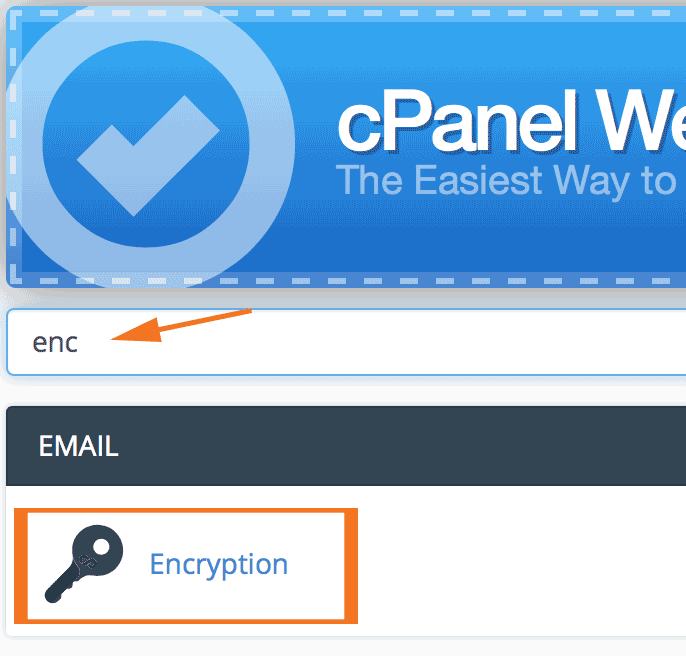
htsuee1

On the next page, enter the information for the email you wish to encrypt. 
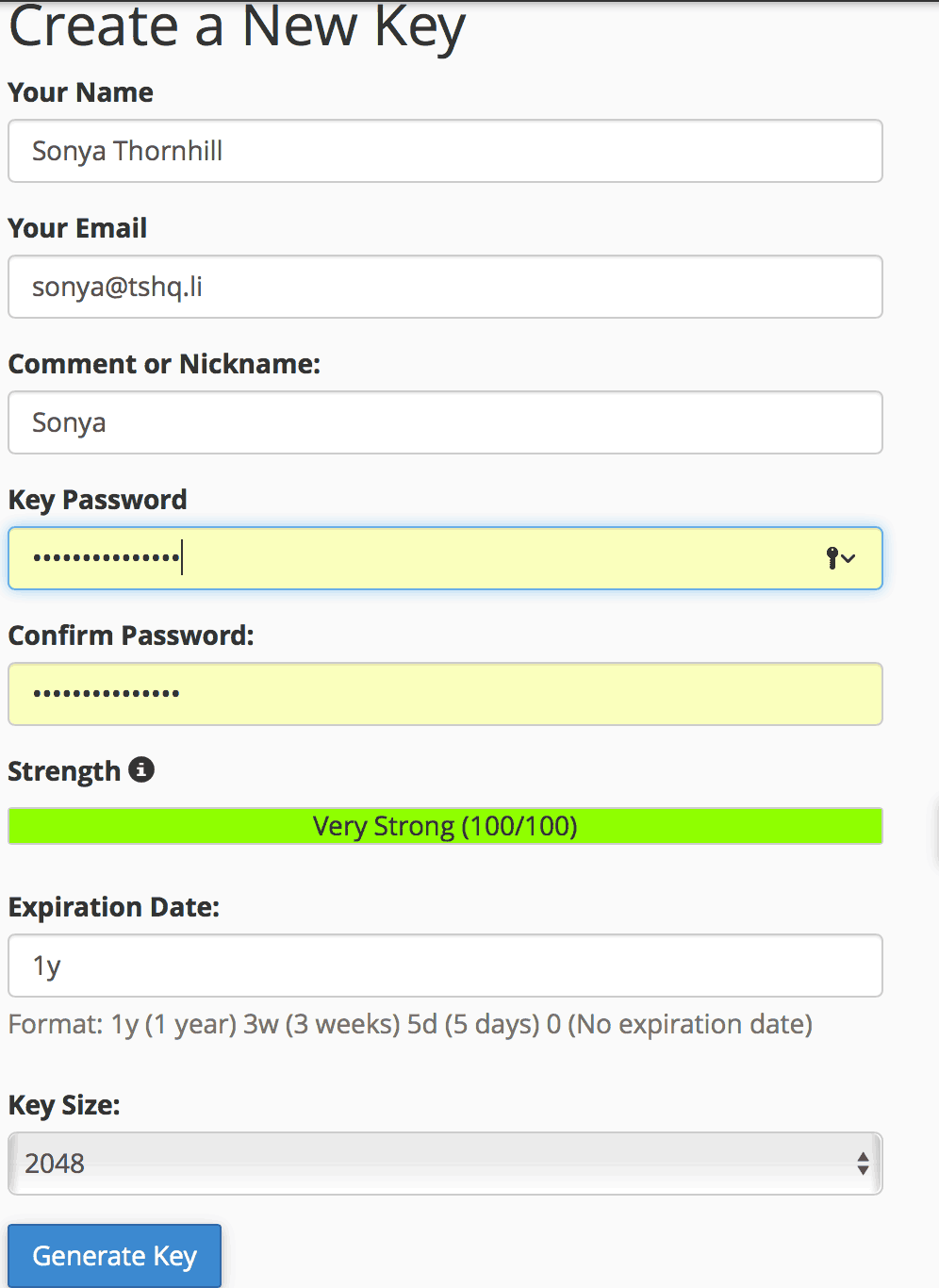
htsuee2

After successfully submitting, you will see cPanel setting up your new Key. 
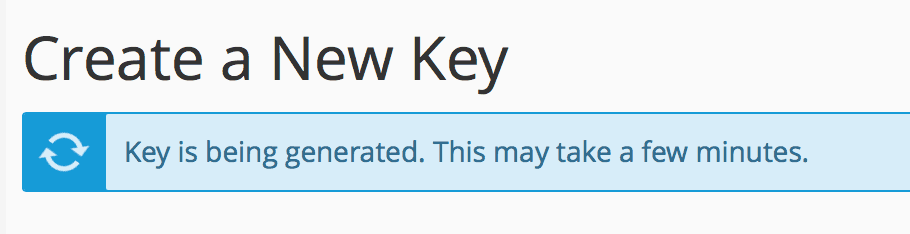
htsuee3

Congratulaitons! You've successfully set up and encrypted email. 

htsuee4

  • 6678 Korisnici koji smatraju članak korisnim
Je li Vam ovaj odgovor pomogao?

Vezani članci

Building a website using site publisher; website builder; or script installer

There are three types of ways to build an easy website on our hosting, I'll outline them here:...

Protocol types for email

The protocol options are just different ways of using the email.IMAP means it is like you are...

Adding a new database to MySQL

To add a new database using MySQL, perform the following tasks:Log into cPanel. Once you are in...

Creating a new FTP account

Log into cPanel. In the files section, click on the moving truck with a person on it that says...

How to enable SPF and DKIM

SPF is a technology that tells others servers it's you that is sending the emails and so the...
